Branded supplier portal
Invite suppliers by email or share one public link. They fill a mobile-friendly form under your brand — no account needed.
PW Document AI
Capture documents from email, WhatsApp, upload and API; read every page; extract and check the fields you need; and deliver them where your team works.
01The flow
Every document takes the same path, whichever way it arrives.
Email inbox, drag-and-drop or REST API
Text layer or OCR, then AI fills your fields
GSTIN checksum, totals, balances, required fields
Only doubtful documents wait for a person
Excel, CSV, JSON or a signed webhook
02Capture
No new habits for suppliers, customers or your team.
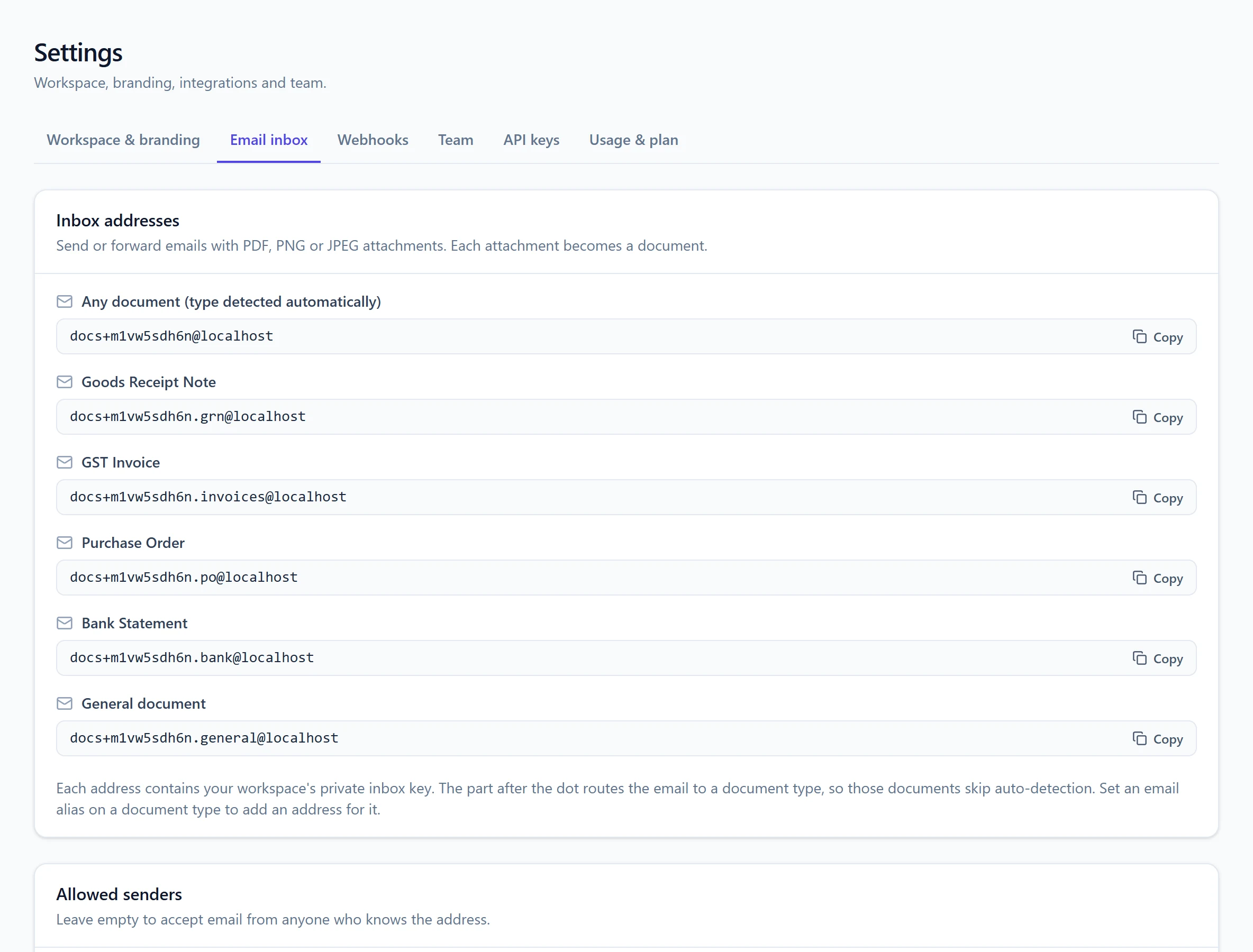
See documents on WhatsAppEvery workspace gets its own receiving address. Forward emails or ask suppliers to send directly; PDF and image attachments are picked up automatically.
Suppliers send invoice photos or PDFs to your WhatsApp Business number. They are read like email, and the sender gets a reply once each one is read.
Add an alias like .invoices or .bank to an address and documents skip auto-detection and go straight to the right type.
Optionally accept email only from listed addresses or domains, so nobody else can fill your queue.
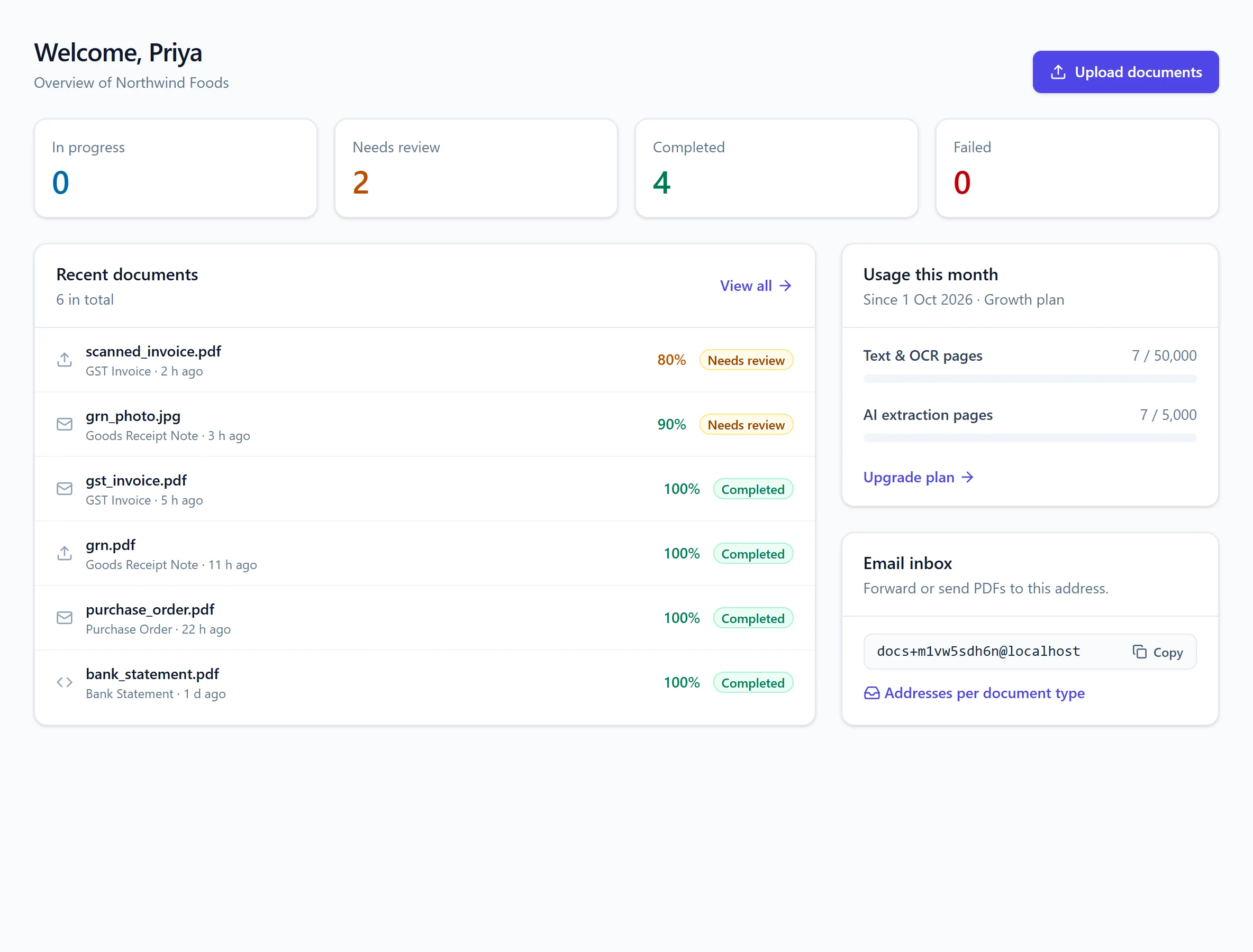
Drag many PDFs, PNGs or JPEGs into the dashboard at once and watch them process.
Upload from your ERP or app with an API key, add your own reference, and fetch results when ready.
Point a workflow at a Google Drive folder or a folder on your file server, and new PDFs and images there are imported.
A file that was received before is flagged, so the same invoice is not processed and paid twice.
03Read
Exact where the PDF has text, OCR where it does not.
Digital PDFs are read from their own text, which is exact and fast, with the layout preserved.
Scanned pages and phone photos are converted page by page; the method used is shown for every page.
Need just the words? Text mode skips AI extraction entirely and gives you a .txt file or JSON.
04Understand
Ready-made document types to start, and a builder for your own.
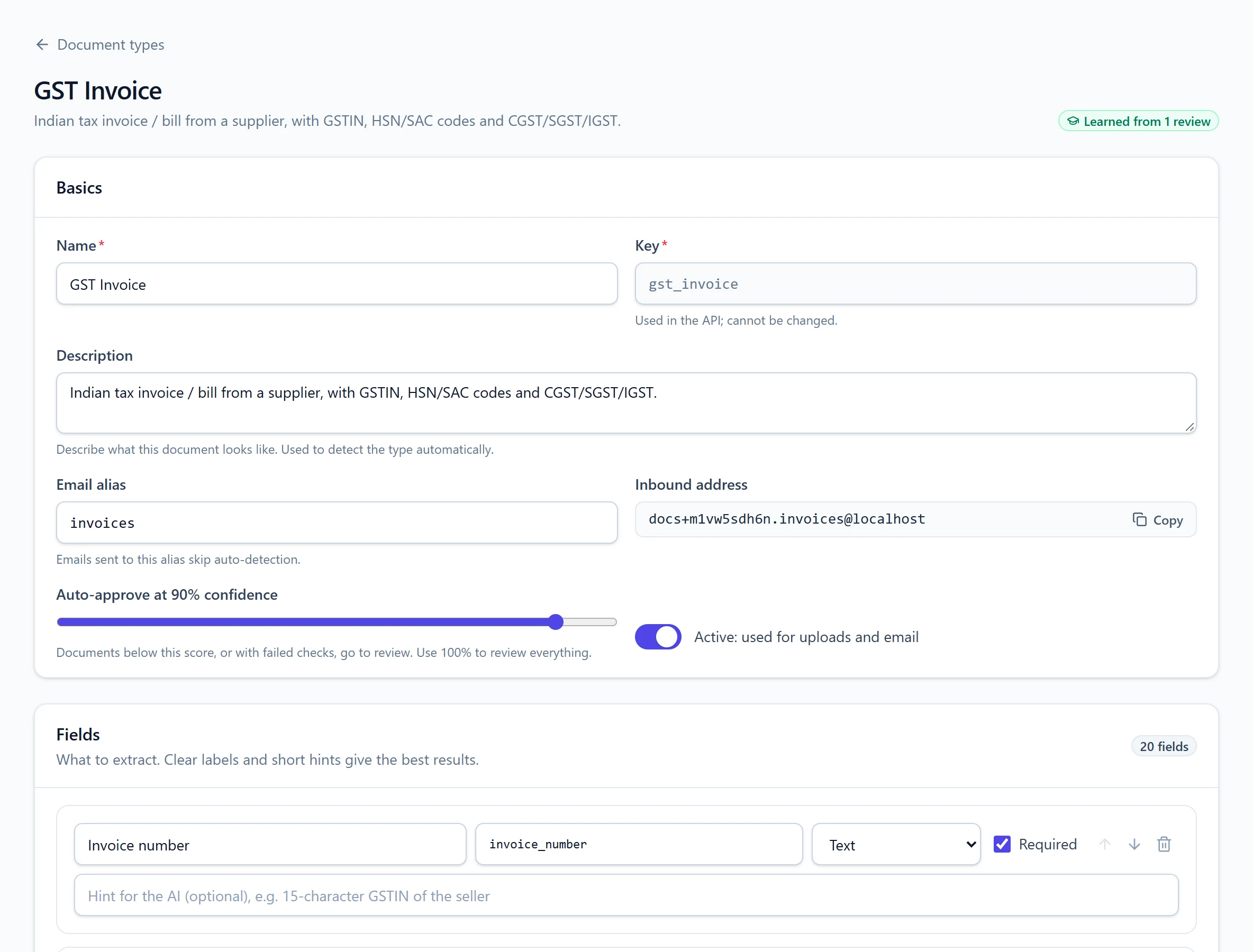
Each document type defines its fields; results always come back in exactly that structure, including tables of line items.
Add fields with a label and type — text, number, date, yes/no or table — and a hint for anything unusual. No code needed.
Uploads and emails without a type are sorted into the best matching document type for you.
05Verify & learn
Business rules catch problems; people handle only the exceptions.
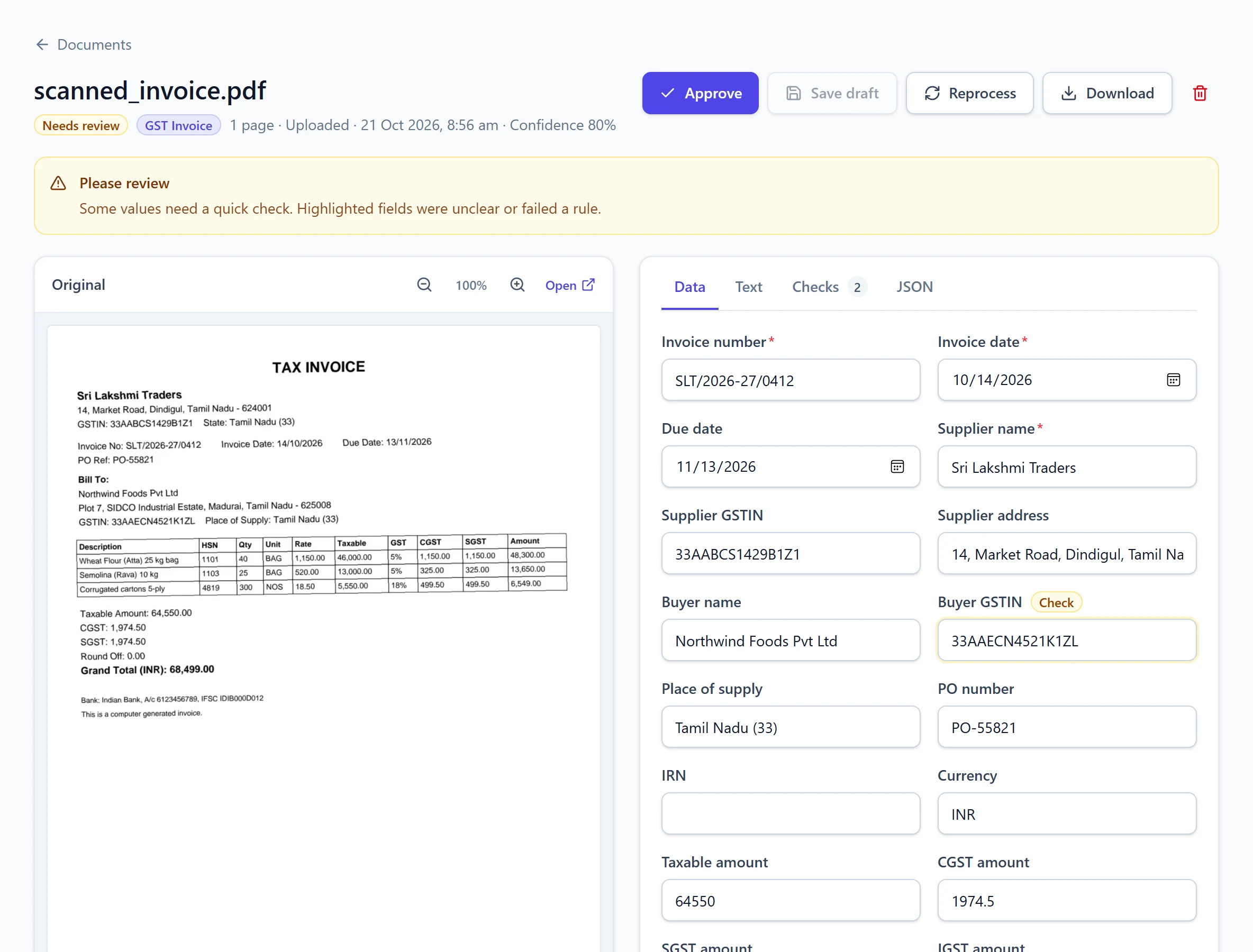
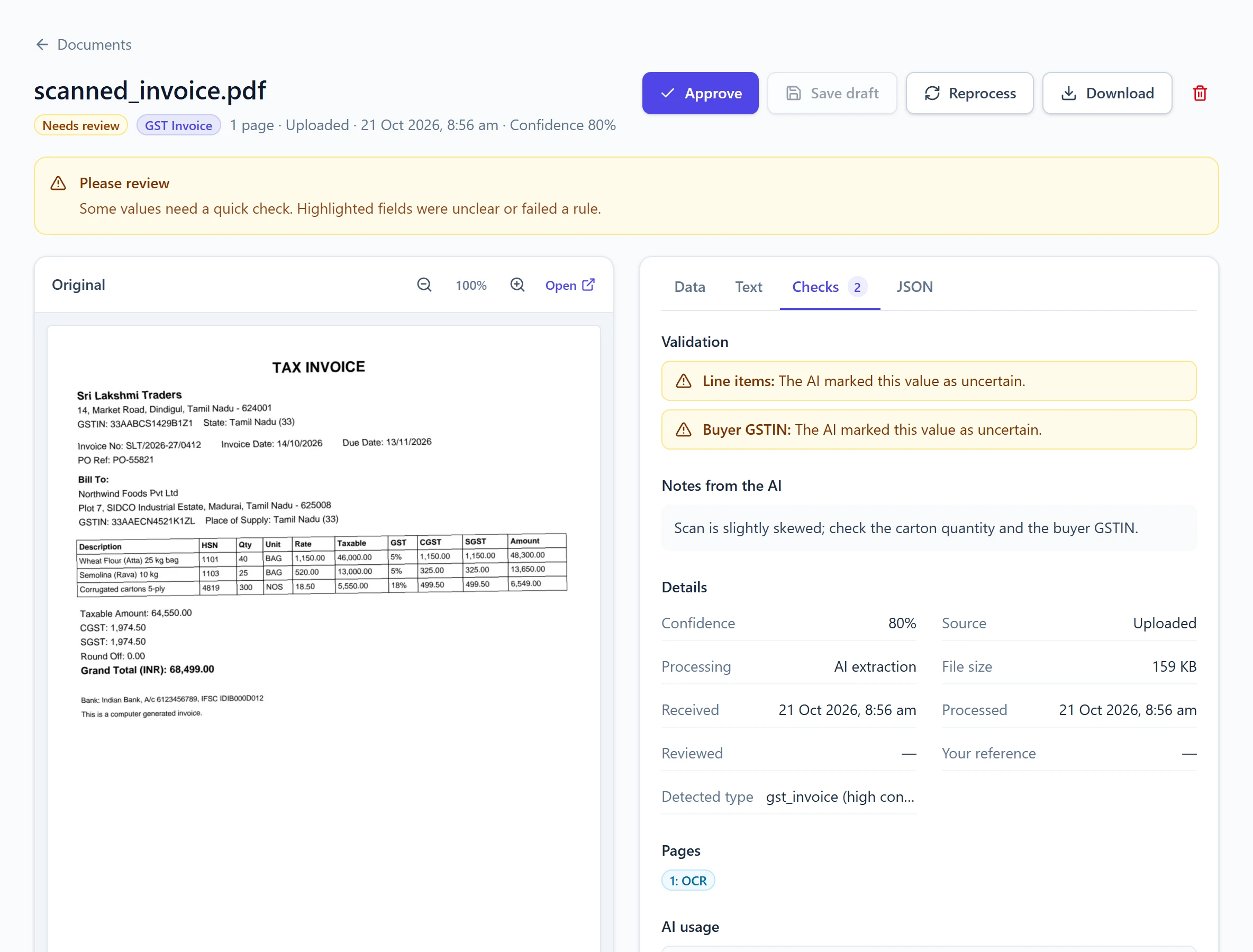
GSTIN format and checksum, invoice line and tax totals, IGST versus CGST, bank opening-to-closing and running balances, IFSC codes, required fields.
Each document gets a confidence score. Set the auto-approve level per type; anything below it waits for review with problems highlighted.
Approved reviews become private examples for your workspace and guide extraction of similar documents.
06Deliver
Pick the format that suits each team.
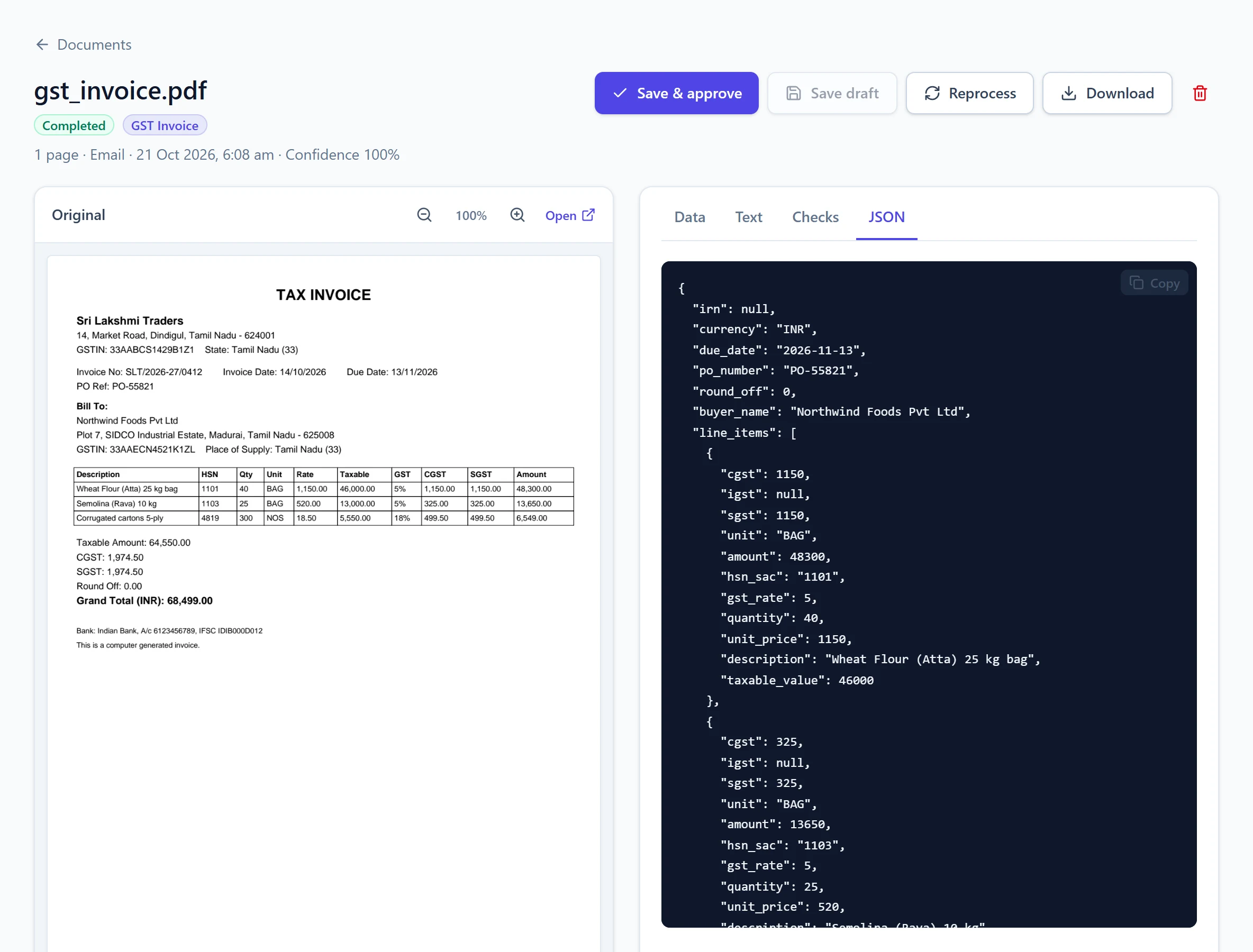
Download a single document, or export every document of a type to one Excel workbook with a sheet per table.
Get notified when a document is completed, needs review or fails. Each request carries an HMAC signature to verify.
Status, data, text, exports and reprocessing are all available through the documented REST API.
07Automate
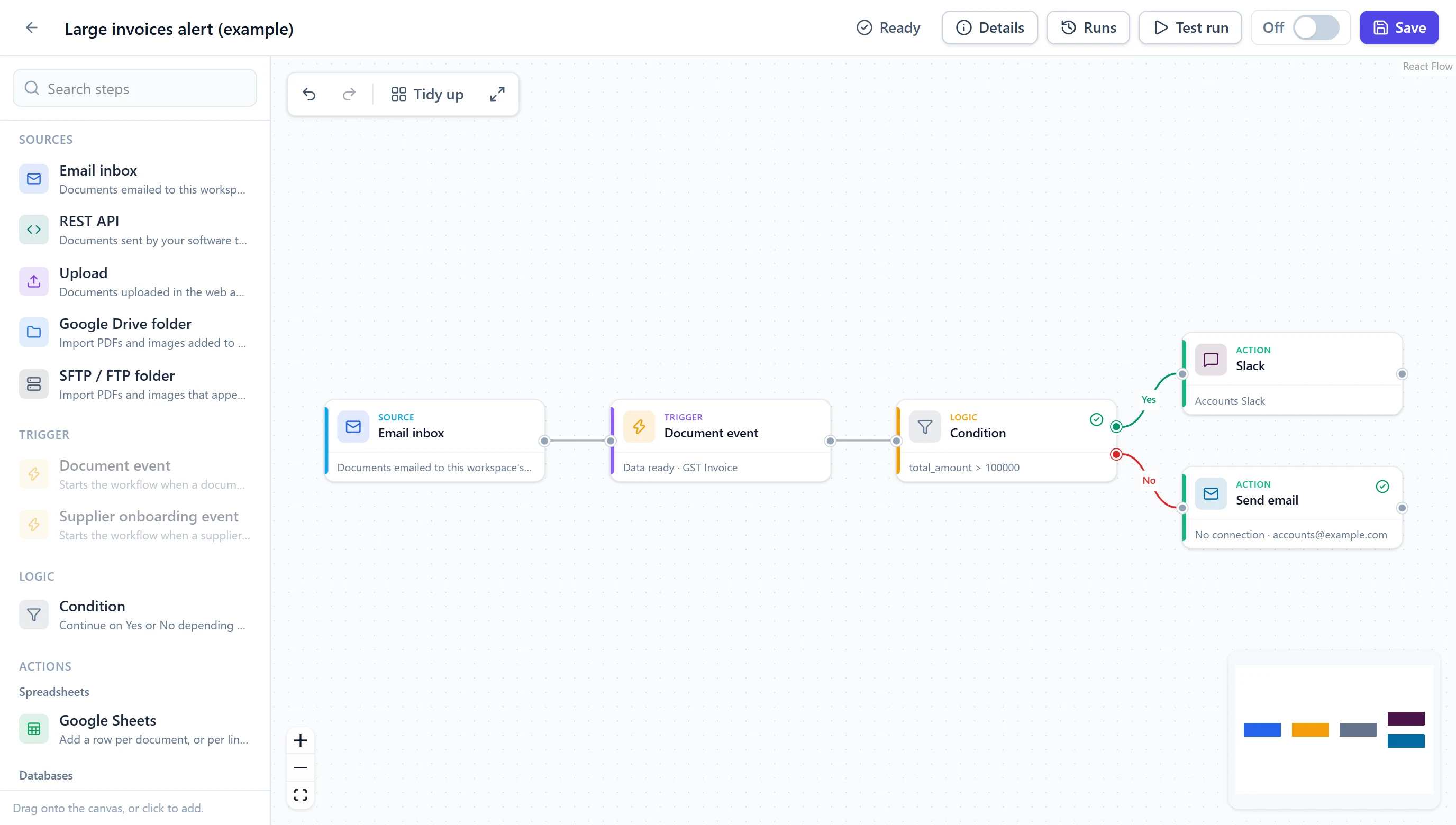
Draw what should happen next on a visual canvas — no code, no glue scripts.
Explore workflows and integrationsStart from an inbox, WhatsApp, upload, API, Google Drive or SFTP folder, or a document event, then chain actions on a canvas.
Route by document type, status, confidence or any field — for example, large invoices to Slack and the rest straight to the books.
Map extracted fields to sheet columns, table columns or ledger fields, with line items as rows.
Google Sheets, MySQL and PostgreSQL, Tally, Zoho Books, QuickBooks, SAP, Dynamics 365, NetSuite, Odoo, ERPNext, Slack, Teams, email, WhatsApp, SMS, Google Drive, S3, SFTP and webhooks.
Every run is logged step by step; failed steps retry and can be re-run once the problem is fixed.
Credentials are saved once per workspace, stored encrypted and never shown again. Test runs check a flow before it goes live.
08Onboard suppliers
Collect KYC documents through a branded portal and approve suppliers with every detail cross-checked.
See supplier onboardingInvite suppliers by email or share one public link. They fill a mobile-friendly form under your brand — no account needed.
GST certificate, PAN card, cancelled cheque and MSME certificate are read and compared with what the supplier typed.
GSTIN checksum, PAN inside the GSTIN, IFSC format, matching account numbers and names across documents.
Review everything on one screen. Ask the supplier to fix something with a note, or auto-approve when all checks pass.
A workflow creates the supplier in Tally, Zoho Books, QuickBooks or your ERP, adds them to your sheet or database, and tells your team.
Submissions, decisions and change requests are kept on each supplier with who acted and when; workflows can start on any of them.
09AI calling
The second product on the platform: AI agents for your phone lines, sharing the same workspace and workflows.
See AI callingAnswers customer calls on your Exotel numbers and places follow-up and sales calls, with transfer to your team when asked.
Tamil, English, Hindi, Telugu, Kannada and Malayalam, following callers who switch language mid-call.
Looks up customers and orders, raises tickets, books appointments and callbacks, updates leads; suppliers can ask about invoices.
Work through a contact list with your do-not-call list, calling hours, attempts and retry delay applied to every number.
Transcript and recording, plus a summary, outcome, sentiment, lead score and next action for every call.
An AI phone call step, for example to a supplier whose invoice does not match the PO, and an AI call finished trigger.
10Manage
Control who does what, and present it under your own brand.
Owners and admins manage settings, keys and people; members process and review documents.
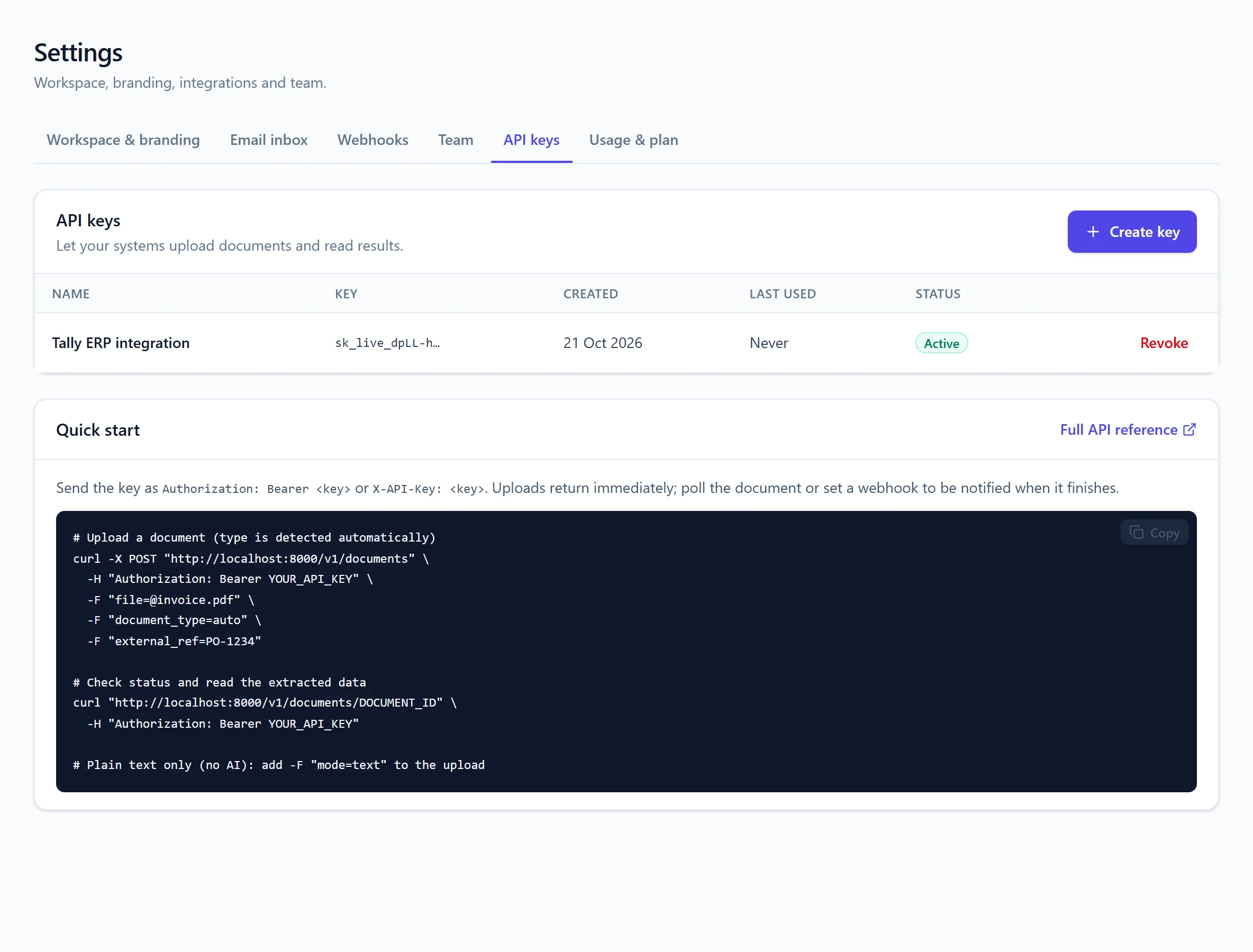
Create named keys per integration, see when they were last used, and revoke them any time.
Set the name, logo, colour and custom domain for each workspace; login pages follow the same branding.
See text and AI extraction pages, and AI calling minutes, used this month against your plan.